Travel sound journal
How to make an audio travel journal on iPhone
A photo shows the square. A recording brings back its bells, footsteps and conversations in the distance. Collect a few short sound memories during a trip, then return to them through your library or map.
Voice recorder, video or audio travel journal?
A voice recorder may be enough for a note you will listen to once. To revisit several stops with their photos and places, Ekkoes brings that context into a library and map. Video keeps movement; an audio journal lets you return to the atmosphere without looking at a screen.
A simple first recording
An example to adapt: “Saturday market, before coffee.” Record thirty seconds of atmosphere from a spot sheltered from wind. Add a photo of the square and a map location if you want. Listen again tomorrow: which details come back?
Start with one place and thirty seconds
Choose a sound that tells you where you are.
Try the first train of the day, a harbour, rain outside your room or the evening atmosphere of a square. Stand still and listen before opening the recorder. Avoid capturing a private conversation.
Make a short test recording.
Open Ekkoes, allow microphone access and record a few seconds. Listen back to check for wind, clothing rustle or a finger covering the microphone. Move to a sheltered spot if needed, then record the moment.
Give the sound a useful name.
A title such as “Lisbon — tram at dusk” is easier to recognise later than “Tuesday”. Add a photo if it helps you remember the scene. Location is optional; allow it when you want to find the recording on your sound map.
Bring your trip together.
Put related recordings in a group, such as “Portugal, October”. Keep enough context to recognise each moment. A handful of distinct sounds is often easier to revisit than hours of uninterrupted audio.
Listen again when you get home.
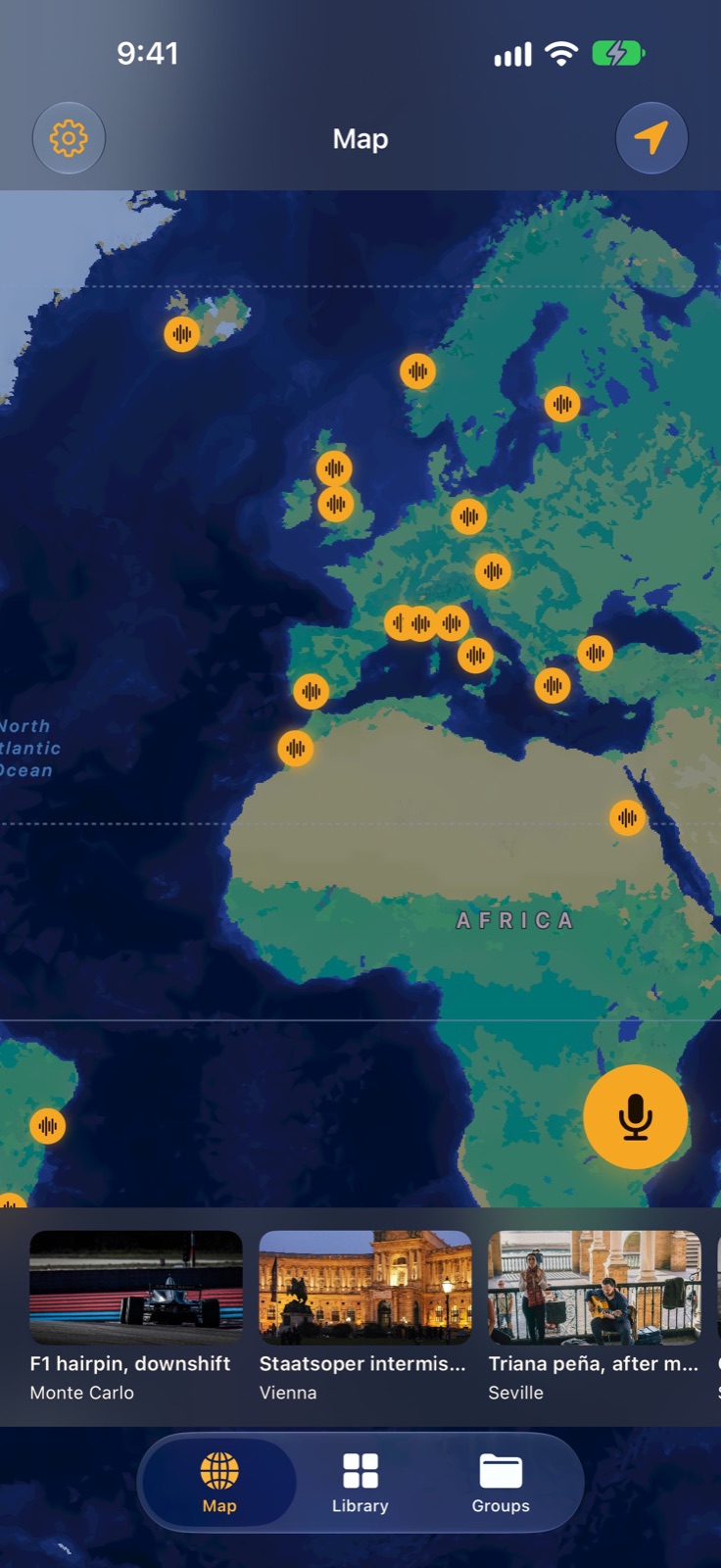
Browse the group or explore your located recordings on the map. Compare the same place at different times, or share a Sound Postcard with someone who travelled with you.
What could your first journal look like?
A fictional example to adapt: make a group called “A weekend in Lisbon” with three sounds — “Morning tram”, “Market before lunch” and “The Tagus at sunset”. Give each sound a distinct title. Add a photo and location only when they help you find it again. Three recognisable moments are enough to get started.
See the app in action →Five small moments to try
- Breakfast on a terrace before the city wakes up.
- The sound of a footpath, waves or a river.
- A station announcement that marks the start of a journey.
- A market’s atmosphere, recorded without singling out a private conversation.
- A short spoken memory of what surprised you that day.
A photo and a location are choices
Ekkoes records audio with optional photos and GPS location. Your private library stays on your device and, when available, syncs through your own iCloud account. You decide whether to share a recording. Check its photo and location before sharing; a recipient can keep an exported file.
When a recording does not sound like the memory
Wind overwhelms the sound
Move to a sheltered spot without covering the microphone. Make another short test and listen to it before continuing.
A sound is missing from the map
The map shows memories with a location. Check location permissions and the recording’s details; a sound without a position is still available in the library.
You cannot tell your recordings apart
Use a place and moment in the title rather than a date alone. Put sounds from the same trip in a group instead of recording everything as one long file.
Try your first sound journal
Keep up to 10 recordings for free. A one-time Premium purchase unlocks unlimited recordings and watermark-free Sound Postcards; the current price is shown in the app. Start with a few moments before deciding whether you need more space in your collection.
Get Ekkoes on the App StoreBefore you record
Do I need to take a photo?
No. Photos and location are optional. Audio alone can hold the memory; add visual or place context when it is useful to you.
Why use a sound journal instead of a video?
Choose a sound journal when you want to listen without watching a screen, keep a place on a map, or collect separate sounds in a group. Choose video when movement is essential to the memory.
What should I check before sharing?
Listen for private conversations and check the photo and location. Ask people before recording their voices and respect the rules of the place. Only share material you have permission to share.
Can I record during a trip without an internet connection?
Yes. You can record and replay sounds stored on your iPhone without a connection. Downloading new map areas and syncing with iCloud need internet access. Before leaving, open and play the recordings you want to take with you; a recording not yet downloaded from iCloud may not be available offline.
Where are my travel recordings stored?
Ekkoes keeps your library on your device and uses your private iCloud account when available to sync recordings, photos and their details. iOS controls when uploads and downloads happen, so a saved recording is not proof that its upload has finished. Before changing or erasing a device, check that important sounds open and play on your other device and keep a separate exported copy.